Table of Contents
What Is Micro-Segmentation?
Why Micro-Segmentation Matters for Outbound Campaigns
Types of Data Used for Customer Micro-Segmentation
How to Build a Micro-Segmentation Strategy for Outbound (Step-by-Step)
Micro-Segmentation Examples in Outbound Campaigns
Common Micro-Segmentation Mistakes to Avoid
How Cleverly Uses Micro-Segmentation to Drive B2B Lead Generation
Conclusion
Frequently Asked Questions
Modified On :
October 13, 2026
Key Takeaways
- Micro-segmentation divides your total addressable market into highly specific cohorts — built on firmographic, technographic, behavioral, and intent data — so every campaign feels purpose-built for its recipient.
- Campaigns targeting fewer than 50 recipients average a 5.8% reply rate vs. 2.1% for campaigns sent to 1,000+ contacts — smaller, tighter segments drive dramatically better results.
- Layering data types is what makes customer micro-segmentation precise: firmographics tell you who to target; technographic and intent data tell you when and why.
- Segmented campaigns can drive up to a 760% increase in revenue compared to non-segmented approaches — and effective micro-segmentation lifts revenues by 5–15% while improving marketing ROI by 10–30%.
- The biggest mistakes teams make: over-segmenting too early, using only one data type, and writing generic copy for specific segments — undoing all the targeting work before a single email lands.
- B2B micro-segmentation targets accounts and buying committees, not single shoppers, so segments are smaller, data is harder to source, and messaging has to work role by role.
- Segments go stale. Dynamic rules, trigger events, and a refresh cadence keep outbound matched to where each account is today. The same lifecycle logic also works on existing customers for upsell, churn prevention, and win-back.
Outbound campaigns don't fail because the copy is bad. They fail because the targeting is too broad.
Sending the same message to a VP of Sales at a bootstrapped 20-person agency and a VP of Sales at a 500-person Series C SaaS company is not a segmentation strategy. It's a list. And lists don't produce pipeline — precision does.
That's exactly what micro-segmentation changes. Instead of one campaign blasted to thousands, you run twenty tailored campaigns to fifty highly specific prospects each.
The math works: campaigns targeting fewer than 50 recipients average a 5.8% reply rate, compared to just 2.1% for campaigns targeting over 1,000 contacts. That's nearly a 3x difference — not from better copy, but from better targeting.
This guide covers what micro-segmentation is, the data that powers it, how to build a strategy from scratch, real-world examples, and the mistakes that kill results before campaigns even launch.
If you're running outbound — or planning to — this is how you stop competing on volume and start winning on relevance.
What Is Micro-Segmentation?
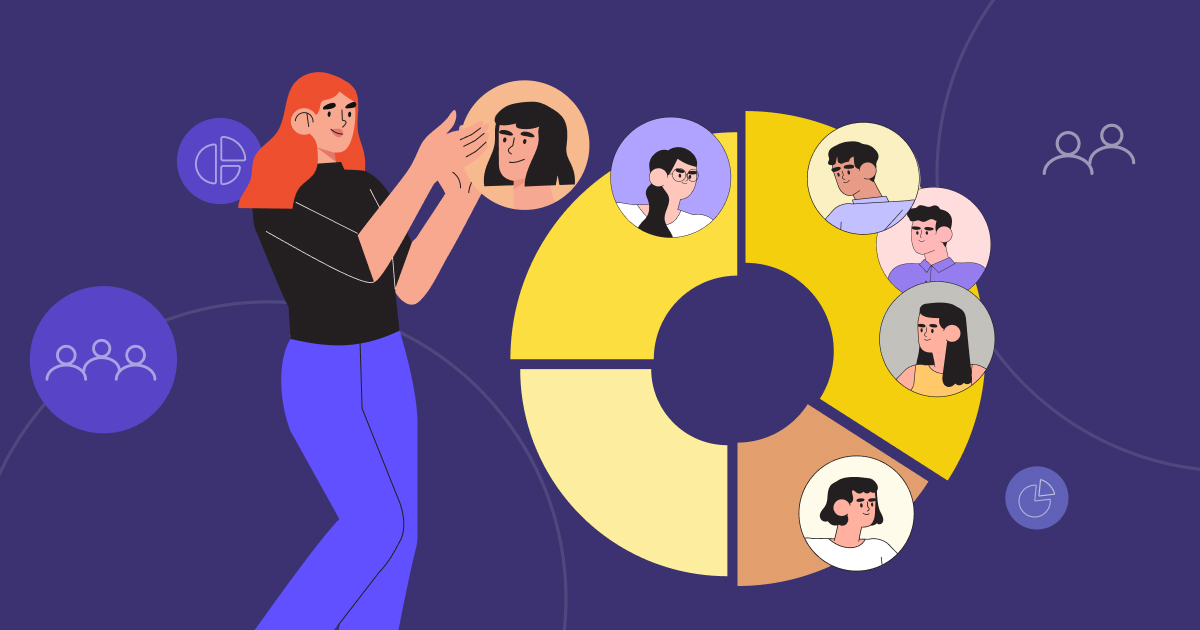
Micro-segmentation is the practice of dividing your total addressable market into highly specific, granular groups — based on behavioral, firmographic, technographic, and intent data — so every outbound campaign feels purpose-built for its recipient.
It's different from standard segmentation in a meaningful way. Traditional segmentation groups prospects by broad categories: industry, company size, geography.
Micro-segmentation layers in behavioral signals, tech stack, buying intent, and role-specific pain points to create cohorts of 10–100 prospects that share a specific context — not just a category.
Think of the difference this way:
The core principle: the smaller and more precise the segment, the more relevant the message. The more relevant the message, the higher the reply rate, the faster the qualification, and the stronger the pipeline.
The biggest contributing factors to top-performing campaigns are micro-segmentation, problem-focused messaging, frequent A/B testing, and smart automation. That's not a coincidence — it's a pattern that repeats across every vertical and every channel.
Micro-Segmentation in Marketing: B2B vs. B2C Differences
Most of what you read about micro-segmentation in marketing comes from B2C. An online retailer splits shoppers into “weekend runners who buy shoes twice a year” and “gift buyers who show up in November,” then sends each group a different message.
The logic is the same in B2B. Smaller groups, sharper message, better response. But the inputs change a lot. Here’s how the two compare.
The Data Is Different
B2C segments are built around the person. Demographic data covers age, income, and location. Lifestyle data covers interests and habits. Purchase behavior covers what they bought, how often, and what they browsed.
B2B segments are built around the account first, then the person inside it:
- Firmographic data: industry, headcount, revenue, funding stage, geography.
- Technographic data: the tools the company runs, like its CRM, sales engagement platform, or cloud stack.
- Role-level data: title, seniority, department, and the priorities that come with the job.
A B2C marketer asks, “Who is this shopper?” A B2B marketer asks, “What kind of company is this, what does it run on, and who inside it owns the problem?”
Buying Committees vs. Individual Buyers
In most B2C purchases, one person decides. In B2B, a group does.
6sense’s 2025 Buyer Experience Report found that typical B2B purchases involve 10 or more people. Gartner found that 77% of B2B buyers describe their latest purchase as very complex or difficult. Getting a group with different priorities to agree is a big part of why.
That changes how you segment. One account can fit your segment perfectly, and the message still has to land differently for the CFO, the VP of Sales, and the Head of RevOps.
The fix is simple. Segment at the account level first. Then build role-level messaging inside each segment, like in the role-level example later in this guide.
Segment Size and Data Availability
B2C segments can hold thousands of people, and behavior data arrives on its own. You can test fast because the volume is there. B2B segments are small by design. That’s the point, but it creates two problems:
- Less data per contact. Company and contact details usually have to be sourced, enriched, and verified before you can use them. Our guide on building a qualified prospect list walks through that process.
- Slower learning. Small segments take longer to produce readable results, which is why each one needs 2 to 3 weeks before you judge it.
Typical Channels for Each
B2C leans on paid social, search, email, SMS, and retargeting. These channels are built for volume and speed.
B2B leans on LinkedIn outreach, cold email, cold calling, and multi-touch sequences. These channels are built for relevance and conversation. The segment decides the mix, which we cover in Step 4 below.
🎯 Broad Targeting Kills Reply Rates
We build hyper-targeted outbound campaigns that actually convert. LinkedIn, cold email & calling—fully done for you.
Why Micro-Segmentation Matters for Outbound Campaigns
The problem with broad outbound is simple: generic messaging to large audiences creates noise, damages sender reputation, and burns through your ICP list faster than pipeline gets built. Decision-makers today receive dozens of outbound messages daily.
The ones that break through feel personally relevant. Everything else gets deleted in under three seconds.
Benefits of micro-segmentation show up across every dimension of outbound performance.
Higher Reply Rates and Conversion
Campaigns using tight segmentation, intent signals, and omnichannel follow-up can reach 10–20% reply rates on high-fit segments. Compare that to the platform-wide average of 3.43%, and the gap speaks for itself.
For cold outbound, average reply rates hover around 3–5.1%, while top-quartile programs can reach 15–25% with tight targeting and strong hooks. The difference between average and elite is almost never the copy alone — it's the targeting upstream of it.
Better Personalization at Scale
One of the biggest misconceptions about micro-segmentation in marketing is that it trades scale for relevance. It doesn't. Messaging frameworks are built once per segment, then deployed across all matching prospects.
Each segment gets a distinct angle, a pain point framing specific to that cohort, and a CTA matched to where those buyers actually sit in their journey. The result: outreach that feels 1:1 even when sent at volume.
More Efficient Use of Sales Resources
Reps stop working sprawling, poorly defined lists and start spending time on the highest-fit accounts. Prospects receiving relevant outreach qualify faster and require less education. You eliminate wasted touches on accounts that were never a real fit — and that time compounds across a quarter.
Sales teams using segmentation close deals 30% faster, and companies with segmentation see an average 12% lift in revenue.
Stronger Revenue Impact
Segmented campaigns can drive up to a 760% increase in revenue compared to non-segmented approaches. Effective micro-segmentation lifts revenues by 5–15% and improves marketing ROI by 10–30%. TabulardotData
These aren't marginal gains. They're the difference between outbound that pays for itself and outbound that drains budget.
Deeper Account Intelligence Over Time
Every segment run teaches you something. Which pain points land. Which triggers drive response. Which cohorts convert faster. This intelligence compounds: future campaigns to similar segments get sharper with every iteration.
Micro-segmentation data feeds back into ICP refinement, product positioning, and sales enablement — making the whole revenue org smarter over time.
Types of Data Used for Customer Micro-Segmentation
Micro-segmentation is only as precise as the data powering it. The teams that underperform on segmentation almost always share one thing in common: they're relying on a single data type when the best results come from layering multiple signals.
Here's what the full data stack looks like.
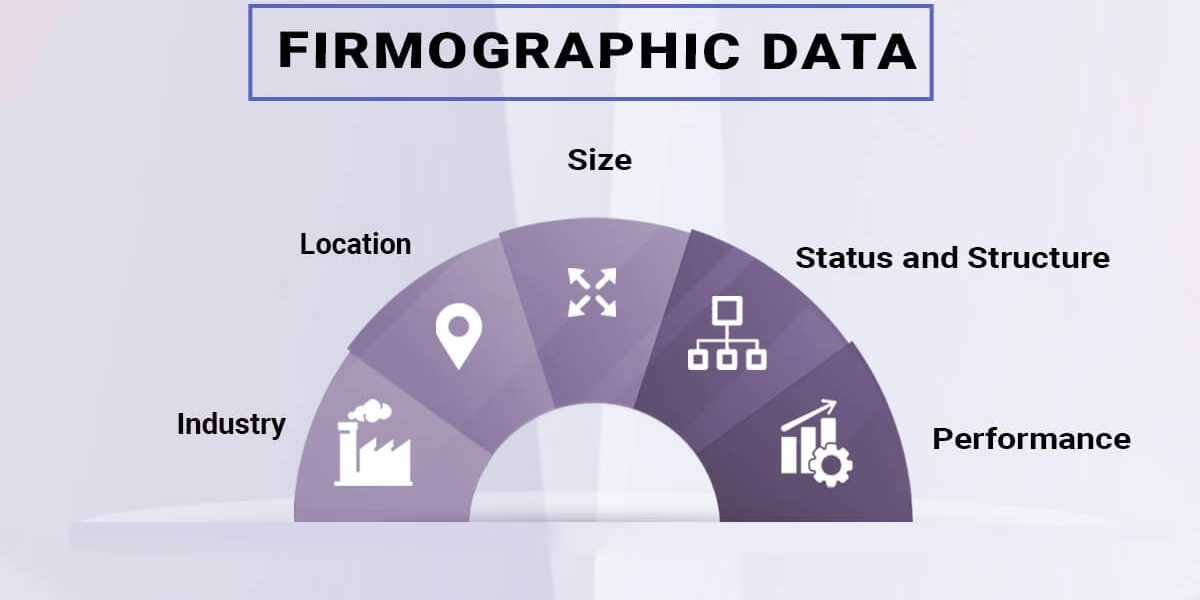
Firmographic Data
Company-level attributes: industry vertical, employee count, annual revenue, geography, ownership structure, growth rate. Firmographic data builds your base segments — the starting ICP filter.
Use case: "Series B SaaS companies, 50–200 employees, North America, growing headcount at 20%+ per year."
Limitation: Firmographics alone are table stakes. They tell you who to target — not when or why.
Technographic Data
The technology stack and software tools a company uses: their CRM (Salesforce, HubSpot), sales engagement platform (Outreach, Salesloft), marketing automation (Marketo, Pardot), cloud infrastructure, analytics stack.
Use case: Segment by tech stack to tailor messaging around integration opportunities, competitive displacement, or tool-specific pain points. "Companies using HubSpot + Outreach" get different messaging than "companies using Salesforce only."
Why it matters: Referencing a prospect's actual stack immediately signals relevance. It tells them you did the work — and that's rare enough to stand out.
Behavioral Data
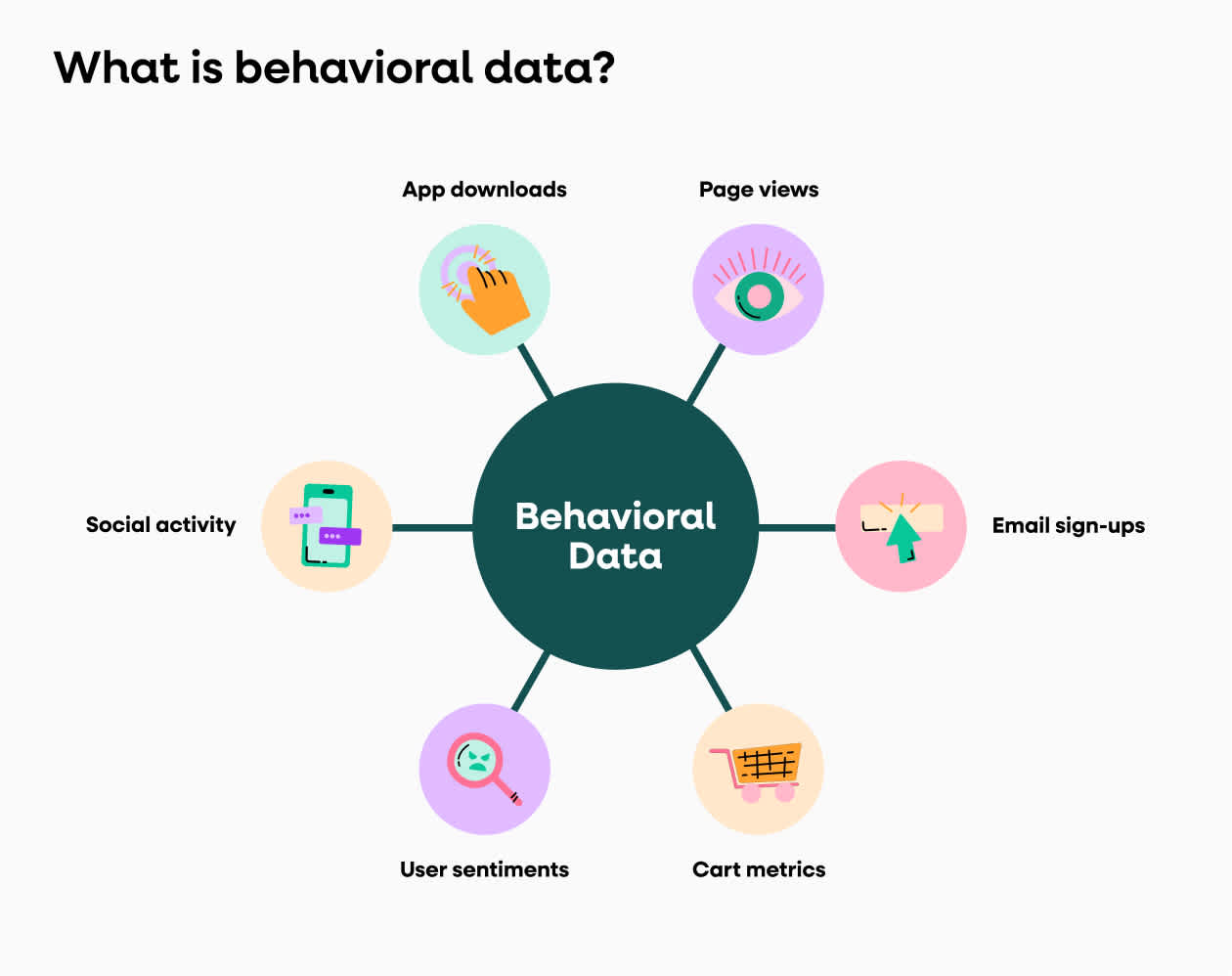
How prospects interact with your brand: website visits, content downloads, pricing page views, email opens, webinar attendance, product trial activity.
Use case: Segment warm prospects who have already shown intent. These cohorts warrant entirely different messaging than cold accounts with no prior touchpoints. Behavioral data is the clearest signal of where a prospect sits in their buying journey — and it changes the entire tone and angle of your outreach.
Psychographic and Role-Level Data
Decision-maker priorities, pain points, and communication style by role. A CFO cares about ROI and risk. A VP of Sales cares about pipeline and quota attainment. A VP of Marketing cares about attribution and spend efficiency. A Head of RevOps cares about process efficiency and CRM hygiene.
Use case: Build persona-level messaging frameworks within each firmographic or technographic segment so every stakeholder receives messaging aligned to their specific priorities — not just their title.
This is the layer that turns a good micro-segment into a great campaign.
Intent Data
Third-party intent signals indicating an account is actively researching solutions in your category: keyword search activity, competitor content consumption, G2 or Capterra profile visits, review site engagement.
Use case: Trigger micro-segmented outreach the moment a target account starts researching a competitor or the exact problem your product solves. Timing is everything in outbound.
Sources to know: 6sense, Bombora, G2 Buyer Intent, ZoomInfo Intent.
Intent data transforms outbound from interruption to relevance. You're reaching buyers when they're already looking — not 6 months before or after.
Best Data Tools for B2B Micro-Segmentation
Good segments come from good data, and no single tool gives you all of it.
Most teams end up running four types of tools together: enrichment, intent, psychographic, and CRM. Each one fills a different gap. Here’s what each does and where it fits.
Enrichment Tools: Build the Base
Enrichment tools turn a raw list into a usable one. They add company size, funding stage, tech stack, and verified contact details.
- Clay pulls from many data providers inside one workflow, so you can layer signals on a single list. See our guide on building a B2B prospect list with Clay.
- Apollo and ZoomInfo are database-first. They work well when you need volume fast. Here’s our ZoomInfo review.
- Cognism is often chosen for phone data and European coverage. We compare it head to head in Cognism vs. ZoomInfo.
For tech-stack segments specifically, see our roundup of the best technographic data platforms.
Intent Tools: Add the “When”
Intent tools show which accounts are researching topics, competitors, or review pages tied to your category.
- 6sense and Bombora track research activity across large networks of B2B sites.
- G2 Buyer Intent shows accounts visiting your G2 profile or competitor profiles.
- ZoomInfo Intent bundles intent signals with its contact database.
Intent data is a hint, not a promise. Use it as a timing layer on top of a segment that already fits. If you want to go deeper, read our guide to signal-based selling. To catch your own website visitors, see how to use RB2B.
Psychographic Data Tools: Use With Care
Psychographic data works differently in B2B than in B2C. In B2C, it comes from surveys and behavior at scale. In B2B, most psychographic data tools predict a personality or communication style from a person’s public profile. Crystal and Humantic AI are two examples.
Treat those predictions as a hint for tone, not as a segment filter. They are inferred from public data, and they can be wrong.
The more reliable psychographic layer in B2B is role-level. What does a CFO worry about? What does a Head of RevOps lose sleep over? Your own call recordings and closed-won deals will tell you more than any personality score. For the full breakdown, see our psychographic segmentation guide.
CRM: Where Segments Live
Your CRM, such as HubSpot or Salesforce, isn’t where you find segments. It’s where you store them. It holds the segment tag, the owner, the stage, and the outcome, so you can report on each cohort later.
How to Check Accuracy and Data Freshness
Every vendor says their data is accurate. Test it before you build on it.
- Pull a sample first. Run 50 to 100 records through a verifier and check bounce rates before you buy at scale.
- Spot-check titles. Compare a handful of job titles against LinkedIn. People change roles often, and old titles break role-level messaging.
- Verify the tech stack. Cross-check a few “uses Salesforce” flags against the company’s careers page or site.
- Ask when each field was last updated. A vendor that can’t answer is telling you something.
- Re-verify before every send. A simple rule: anything older than 30 days gets re-checked.
If you want a deeper checklist, our post on where to buy B2B email lists covers how to evaluate data quality.
Syncing Segments Into Your CRM and Sequencer
A segment only works if your sequencer knows about it. Here’s a clean way to wire it up:
- Create one segment field in your CRM. A single picklist or tag per contact keeps reporting simple.
- Push enriched fields as custom properties. Tech stack, trigger event, and role should travel with the contact.
- Map one segment to one campaign. Build each segment as its own campaign in your sequencer. Our guides cover setup in Smartlead, lemlist, and HeyReach.
- Send results back to the CRM. Replies and meetings booked should carry the segment tag, so you can report by cohort.
- Keep segments from overlapping. A contact should sit in one active campaign at a time.
If you’d rather not build and maintain this stack yourself, that’s the part we run for clients across LinkedIn, cold email, and cold calling.
🚀 Better Segmentation = Bigger Pipeline
$312M pipeline generated across outbound channels. We handle targeting → messaging → booking. You close.
How to Build a Micro-Segmentation Strategy for Outbound (Step-by-Step)
Think of this as a build sequence. Each step unlocks the next. Skipping ahead is where most execution failures happen.
Step 1: Audit Your Current ICP and Identify Segment Variables
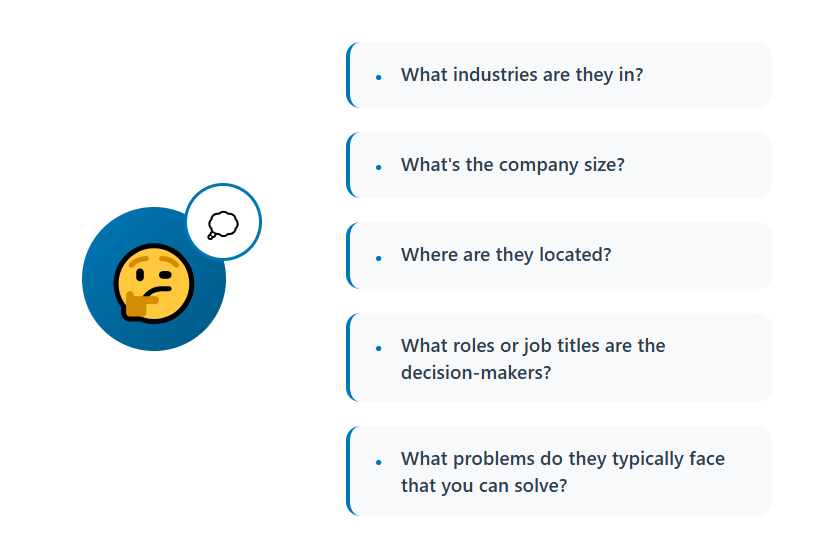
Start with your best existing customers — the ones who closed fast, expanded, and stayed. What firmographic, technographic, and behavioral attributes do they share?
Identify 3–5 variables that most reliably predict fit and conversion. These become the axes of your micro-segments.
One trap to avoid early: creating too many segments before you've validated which variables actually correlate with conversion. Start with 8–12 meaningful segments with enough volume to justify building distinct messaging for each.
Step 2: Layer in Data to Define Precise Segments
Stack firmographic + technographic + intent data to move from broad ICP to specific cohort.
Example build: "VP of Sales at Series B SaaS companies, 50–200 employees, using Salesforce + Outreach, actively researching sales engagement tools" — that is a micro-segment.
"VP of Sales at SaaS companies" is not.
Use tools like ZoomInfo, Apollo, Clay, or Cognism to enrich and validate lists before building campaigns. Garbage data at this stage kills the entire downstream effort.
Step 3: Build a Distinct Messaging Framework Per Segment
Each segment gets its own:
- Subject line angle — tied to a segment-specific trigger or pain point
- Opening hook — directly relevant to that cohort's context
- Value proposition framing — built around what matters most to that specific buyer profile
- Social proof — a case study or outcome from the same industry, size, or role
- CTA — matched to where that segment sits in the buying journey
What stays consistent across segments: your brand voice, offer clarity, and follow-up structure.
The goal: a prospect in any segment should read your message and think, "this was written for someone exactly like me."
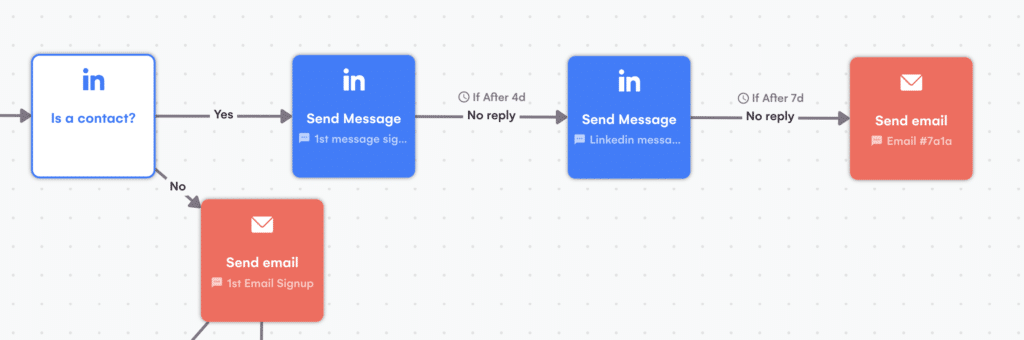
Step 4: Select the Right Channel Mix Per Segment
Not all segments respond equally to all channels. Channel selection should follow the data.
- LinkedIn outreach: best for relationship-heavy, high-ACV segments and decision-makers active on the platform.
- Cold email: best for large-volume segments with verified contact data and a clear, direct value prop.
- Cold calling: best for high-intent, high-ACV segments where speed-to-conversation drives conversion.
- Multi-touch sequences: combine 2–3 channels for enterprise segments where single-channel reach is insufficient.
The segment dictates the channel — not the other way around.
Step 5: Set Segment-Specific KPIs Before Launch
Define success metrics per segment before sending a single message. This forces clarity on what "working" actually means for each cohort.
Core metrics to track per segment: reply rate, positive reply rate, meeting booked rate, pipeline generated.
Segment-level benchmarks give you a comparison baseline. If one segment dramatically outperforms the others, that becomes the template for future segmentation decisions.
Step 6: Test, Measure, and Iterate by Segment
Run segments for a minimum of 2–3 weeks before drawing conclusions. Short windows produce misleading data.
A/B test one variable at a time per segment: subject line, opening hook, CTA, or channel. Kill or pause underperforming segments early. Double down on segments showing above-benchmark reply and conversion rates.
Feed learnings back into Step 1. Every campaign cycle should sharpen your ICP definitions and segment variables.
The compounding effect here is real — teams that iterate consistently see measurably better results by campaign 3 or 4 than they did on launch.
Dynamic and Predictive Micro-Segmentation
A segment you build once goes stale. Companies hire, raise money, switch tools, and go quiet. The list you built in January isn’t the same list in April.
That’s why strong outbound teams treat segments as living groups, not fixed lists. It’s also where micro segmentation marketing stops being a one-time setup and becomes an ongoing system.
Static vs. Dynamic Segments
- Static segment: a list you build once and export. Good for a one-off campaign or a test.
- Dynamic segment: a set of rules that re-checks your data and adds or removes accounts automatically. Good for any program that runs longer than a month.
Here’s the difference in practice.
- Static: “Series B SaaS companies using HubSpot, pulled on March 3.”
- Dynamic: “Series B SaaS companies using HubSpot, with a sales role posted in the last 30 days.”
The second list changes every week without anyone rebuilding it.
Trigger Events That Move Accounts Between Segments
A trigger is a change that tells you an account’s situation just shifted. When one fires, the account moves to a different segment and gets a different message.
- Funding round: new budget and new pressure to grow. See how to find recently funded companies.
- New hire in a target role: new leaders often re-evaluate tools and vendors.
- Job postings: hiring for a role your product supports is a clear need signal. Here’s how to find companies hiring specific roles on LinkedIn.
- Tech stack change: a company adopting or dropping a tool you integrate with or compete against.
- Pricing page visit or content download: a cold account turns warm.
Timing matters more every year. 6sense’s 2025 report found that buyers now make first contact about 61% of the way through their journey, down from 69% in 2024. The window to get on the shortlist is getting shorter.
Lead Scoring and Predictive Signals
Lead scoring gives each account two scores:
- Fit score: how closely the account matches your best customers (firmographic, technographic, role).
- Engagement or intent score: how much buying activity you can see (replies, site visits, intent topics, triggers).
Together, they decide where an account lands.
Predictive signals go one step further. They look at your closed-won deals and find patterns, like “most of our best customers hired a RevOps lead in the six months before they bought.” That pattern becomes a segment rule. For a practical walkthrough, see Claude lead scoring.
How Often to Refresh Segments
Different data ages at different speeds. Here are sensible starting points.
Adjust these to your sales cycle. A short-cycle product needs faster refreshes than a 9-month enterprise deal.
Rules-Based vs. AI-Assisted Segmentation
Start with rules. Add AI once you have enough closed deals to learn from. Either way, have a person review what the model suggests before a campaign goes out. For a stage-by-stage view of where AI fits, see our AI outbound sales workflow.
Micro-Segmentation Examples in Outbound Campaigns
Here's how the framework above actually translates into real campaign execution.
Technographic Segment: Targeting by Competitor Stack
Segment: Companies using a direct competitor's tool as their primary sales engagement platform.
Messaging angle: Lead with a pain point specific to that tool's known limitations. Position your solution as the direct upgrade without attacking the competitor by name.
Why it works: The prospect already understands the category. No education needed — just relevance. They read your message and it lands because it's describing something they already feel.
Firmographic + Intent Segment: High-Growth Companies Actively Researching
Segment: Companies that have grown headcount by 30%+ in the past 6 months and are showing intent signals around your product category.
Messaging angle: Acknowledge the growth trigger directly — "scaling this fast brings new challenges in [area]" — then tie your value prop to what fast-growing companies at their stage typically struggle with.
Why it works: Timing plus relevance. You're reaching them while the pain is live, not 6 months before it surfaces or after they've already bought.
Role-Level Segment: Same Company, Different Stakeholders
Segment: Same target account, different decision-makers — VP of Sales, CFO, Head of RevOps.
Messaging angle: Entirely different for each role. VP of Sales hears about pipeline and quota. CFO hears about ROI and cost per meeting. Head of RevOps hears about process efficiency and CRM hygiene.
Why it works: Multi-threaded outreach to the same account increases deal velocity while ensuring no single stakeholder can block the conversation unilaterally. One message rarely closes a deal — three conversations across the right stakeholders does.
Behavioral Segment: Warm Prospects Who Visited Pricing
Segment: Prospects who visited your pricing page but didn't convert or request a demo.
Messaging angle: Low-friction outreach that acknowledges their research stage without being pushy. Offer a comparison resource, a relevant case study, or a 15-minute call to answer questions.
Why it works: Behavioral data confirms intent. The prospect is already in consideration mode — your outreach is an assist, not a cold interruption. The conversion threshold is much lower than it is for a cold account.
Customer Micro-Segmentation for Existing Customers
So far, we’ve used customer micro-segmentation to mean grouping prospects. The same method works on the people who already pay you.
The case is strong. Research from Bain & Company, cited by Forrester, found that a 5% lift in customer retention can raise profits by 25% to 95%. Your existing customers are also the easiest accounts to reach, because you already have their data.
Lifecycle Stages: New, Active, Expansion-Ready, At-Risk, Dormant
Start by sorting customers into five stages. Each one gets a different goal and a different message.
Product Usage and Engagement Signals
Segments are only as good as the signals behind them. For existing customers, watch:
- Login and feature adoption: who uses the core features, and who doesn’t.
- Seats used vs. seats purchased: unused seats are a churn warning. Full seats are an upsell signal.
- Support activity: a spike in tickets, or a sudden silence.
- Survey and NPS responses: low scores need a human reply.
- Champion changes: a job change by your main contact often comes before churn.
For more on improving the customer side of the journey, see B2B customer experience.
Upsell and Cross-Sell Segments
Upsell and cross-sell are two different segments, so don’t send them the same message.
- Upsell segment: customers close to their plan limits or using the product heavily. Message: “You’re getting real value here. Here’s the next tier.”
- Cross-sell segment: customers who use Product A and match the profile of customers who bought Product B. Message: “Teams like yours usually add this next.”
Reference their actual usage in the first line. A message that says “I saw your team added 12 seats last quarter” gets read. A generic upgrade pitch gets deleted.
Churn-Risk and Win-Back Outreach
At-risk and dormant customers need very different handling.
- At-risk: speed and a human touch matter most. Reach out from someone senior, ask what changed, and listen first. A discount is a last resort, not an opener.
- Dormant: lead with what’s new on your side, such as a feature, a result from a similar customer, or a changed price. Ask a question instead of making a pitch. Our guide on drip vs. nurture campaigns can help you pace the follow-up.
Customer Lifetime Value as a Segment Filter
Not every at-risk account deserves the same effort. Add customer lifetime value (CLV) as a filter on top of your lifecycle segments.
- High CLV, at-risk: a call from a senior person, plus a personal email.
- Low CLV, at-risk: a short automated sequence with a clear offer.
- High CLV, expansion-ready: a tailored proposal, not a template.
That way your time goes where the payback is highest.
If you run outbound for new logos and expansion at the same time, keep them in separate segments and separate sequences. A prospect and a customer should never get the same email.
Common Micro-Segmentation Mistakes to Avoid
Getting the strategy right matters. But so does avoiding the execution errors that kill results before campaigns even launch.
❌ Over-segmenting too early. Creating 40+ micro-segments before validating which segment variables actually correlate with conversion adds complexity without adding results. Start with 8–12 meaningful segments and expand based on performance data.
❌ Using only one data type. Firmographics alone produce segments that are too broad to enable real personalization. The messaging you can write for "VP of Sales at SaaS companies" will always feel generic — because it is. Layer in technographic or intent data and the segment becomes specific enough to build messaging that actually lands.
❌ Building generic messaging for specific segments. This is the most common and most costly mistake. The work of micro-segmentation is entirely wasted if the message sent to each segment is still a slightly modified version of the same generic template. Different segment, different message — no exceptions.
❌ Ignoring segment volume minimums. Segments with fewer than 20–30 contacts don't produce statistically meaningful data. You can't learn from a sample that small. Either expand the segment definition or hold it until you have enough contacts to draw real conclusions.
❌ Not tracking segment-level performance separately. Combining all segment results into a single campaign report makes it impossible to identify what's working and what isn't. Every segment needs its own performance row — reply rate, positive reply rate, meetings booked, pipeline generated.
❌ Rebuilding instead of iterating. Teams that scrap entire segment strategies after a single poor campaign miss the actual problem — which is almost always the messaging, not the segment definition. Iterate on the angle before you abandon the cohort.
How Cleverly Uses Micro-Segmentation to Drive B2B Lead Generation

Most outbound failures aren't a channel problem or a copy problem. They're a targeting problem. Sending the right message to the wrong segment at the wrong time produces the same result as bad copy sent to the right one: silence.
At Cleverly, we build precision micro-segmented outbound campaigns for B2B companies — combining firmographic, technographic, and intent data to create cohorts that receive messaging built specifically for their profile, pain points, and stage in the buying journey.
The difference between our approach and generic outreach is where the work actually happens: upstream, in the targeting layer, before a single message gets written.
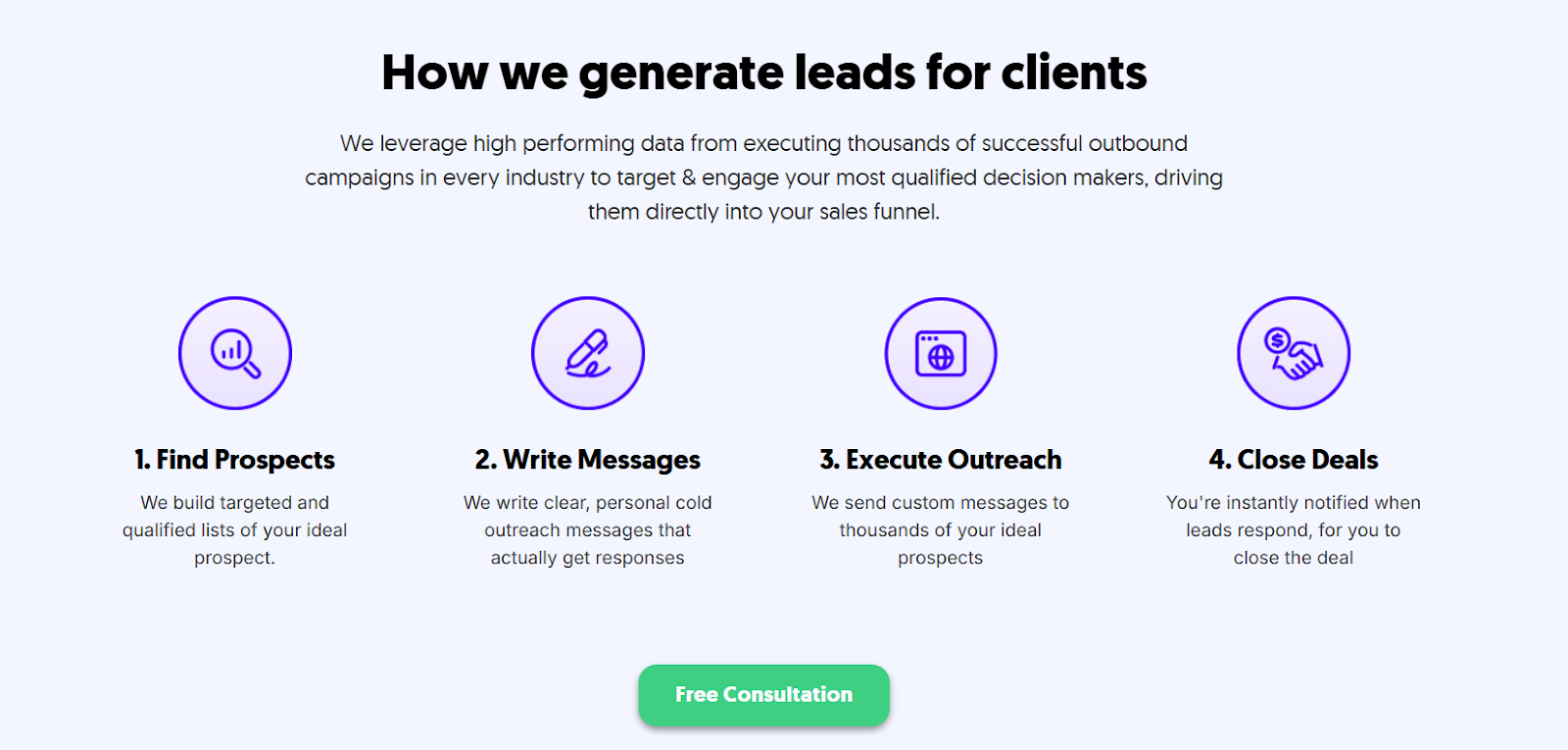
Our ICP-aligned verified lists are built from multi-source data. Each segment gets its own messaging framework — tested and refined across thousands of campaigns across LinkedIn outreach, cold email, and cold calling — matched to the right channel for that specific buyer type.
We're not optimizing for sends or open rates. We're optimizing for qualified meetings with the right decision-makers.
What this means practically: our clients skip the 2–3 month trial-and-error phase that most teams go through when standing up micro-segmented outbound for the first time.
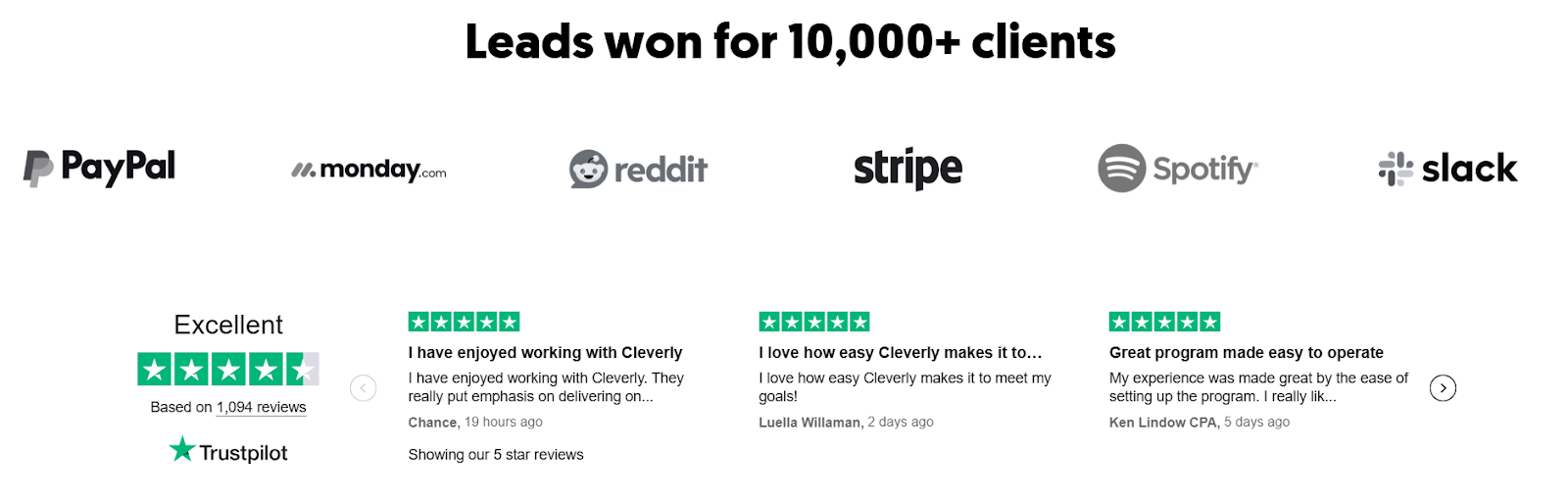
We've helped 10,000+ B2B companies — including teams at Amazon, Google, Uber, and Slack — generate $312M in pipeline revenue through outbound that's built on precision, not volume.
If you want micro-segmented outbound built and run by a team that specializes in B2B lead generation, book a strategy call with Cleverly and we'll show you exactly how we'd approach your market.
Conclusion
Micro-segmentation is not a complexity add-on to your outbound motion. It's the foundation of whether outbound generates pipeline or generates unsubscribes.
The shift is simple in principle: stop targeting audiences and start targeting cohorts — smaller, more specific groups that share a real pain point, a relevant trigger, and a genuine reason to respond.
Start with your best customers, build the data layer, define 8–12 segments, and iterate. Every campaign cycle sharpens your targeting and compounds your pipeline output. That's the game.
Frequently Asked Questions
Free Resource
How to Scale a Profitable Cold Call System
Get the complete guide — download it instantly now.

Free Ebook
Download the Free Guide
Enter your details to get instant access.
You're all set! 🎉
Your ebook is downloading now.
Click below if the download didn't start automatically.